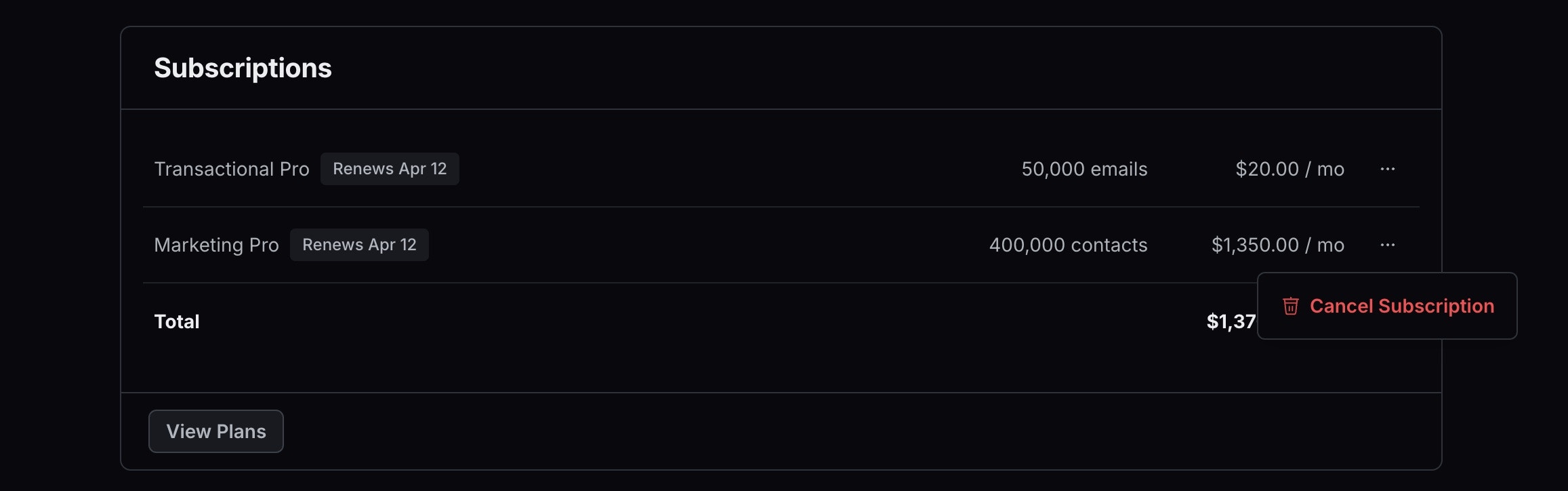
The Billing page in the Settings section provides a clear view of your subscription details, billing email, payment method, and account invoices. From here, you can:Documentation Index
Fetch the complete documentation index at: https://resend.com/docs/llms.txt
Use this file to discover all available pages before exploring further.
- View and manage your subscription - Upgrade, downgrade, or modify your current plan.
- Manage billing contacts - Ensure the right people receive billing-related notifications.
- Update payment information - Add or change your credit card or billing details.
- Add billing address - Provide your billing address for invoices.
- Add tax ID - Add your VAT number or tax ID for proper invoicing.
- Access invoices - Download past invoices for your records.
How to cancel your subscription
- Go to the Billing page.
- Click on the three dots next to your plan.
- Select Cancel Subscription from the dropdown menu.